Single Sign-On Explained: How SSO Works, Its Benefits, Risks, and Implementation
CybersecurityEmployees today rarely work with a single application. A typical business user may access email, collaboration platforms, CRM systems, cloud storage, HR software, financial applications, development tools, and dozens of other services during a normal working day. If every application requires a separate username and password, authentication quickly becomes a usability problem and a security liability.
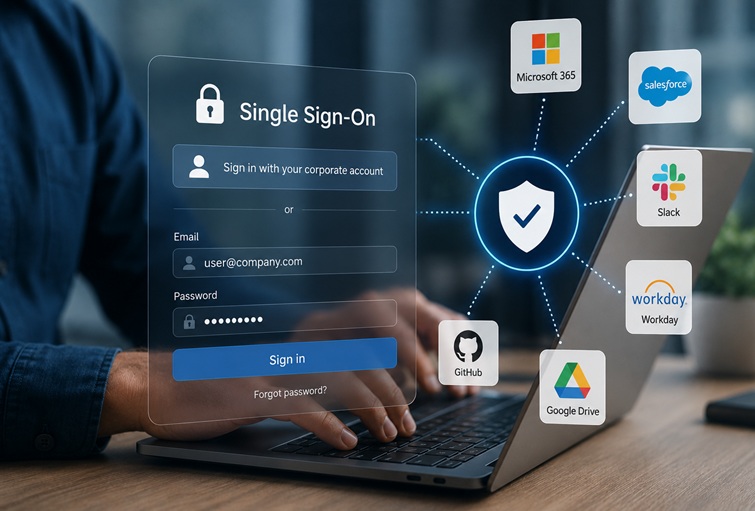
Single sign-on, commonly abbreviated as SSO, addresses this problem by moving authentication to a centralized identity provider. A user authenticates once and can then access multiple trusted applications without repeatedly entering credentials.
For organizations, however, SSO is more than a convenience feature. It is an important component of modern identity and access management. When properly designed, it can reduce password-related risks, simplify employee onboarding and offboarding, improve visibility into authentication events, and provide a consistent foundation for multi-factor authentication and access policies.
At the same time, concentrating authentication in one system creates its own risks. A compromised identity provider can potentially provide an attacker with access to a large number of connected services. SSO therefore improves security only when the identity infrastructure itself is properly protected.
What is single sign-on?
Single sign-on is an authentication architecture that allows a user to authenticate once with a trusted identity provider and subsequently access multiple independent applications without performing a separate login at each application.
The identity provider, or IdP, is responsible for establishing the user’s identity. Examples include Microsoft Entra ID, Okta, Google Cloud Identity, and self-hosted identity platforms based on technologies such as Keycloak.
The applications that rely on the identity provider are known as service providers, or SPs, in traditional SAML terminology. In modern OAuth and OpenID Connect architectures, they may instead be referred to as relying parties or clients.
The important point is that the application does not necessarily receive or store the user’s primary credentials. Instead, it receives a cryptographically protected assertion or token that allows it to establish that authentication has already taken place.
For example, an employee may authenticate through a corporate identity provider and then access Salesforce, Slack, GitHub Enterprise, and an internal HR application without entering a password separately for each service.
SSO does not mean that all applications share the same password. In a well-designed implementation, the applications do not need to know the user’s password at all.
How does SSO work?
Although the exact protocol varies, most SSO systems follow the same basic sequence.
Consider an employee who attempts to access an enterprise application for the first time.
- The user opens the application.
- The application determines that the user does not have a valid authentication session.
- The application redirects the browser to the organization’s identity provider.
- The identity provider authenticates the user.
- The IdP may require additional authentication, such as a hardware security key, authenticator application, or biometric verification.
- After successful authentication, the IdP issues a signed assertion or token.
- The browser or client delivers that authentication information to the application.
- The application validates the response and establishes its own session.
- The user is granted access without entering another password.
If the user later opens another application that trusts the same identity provider, the IdP may already have an active authentication session. In that case, the user can be redirected through the authentication process without being prompted to enter credentials again.
From the user’s perspective, the entire sequence can take only a few seconds.
The architecture is based on trust. The application must be configured to trust a particular identity provider, and it must validate authentication responses correctly. This includes checking signatures, issuer information, audience restrictions, expiration times, redirect destinations, and other protocol-specific parameters.
What is an SSO token?
The term “SSO token” is often used as a general description for the credential or assertion exchanged during an SSO transaction. There is no single universal SSO token format.
Different identity architectures use different mechanisms.
SAML-based systems typically use a digitally signed XML assertion. The assertion can contain information about the authenticated user and attributes such as their email address, role, or group membership.
OpenID Connect uses an ID token, normally encoded as a JSON Web Token, or JWT. It contains claims describing the authenticated user and the authentication event.
OAuth 2.0 uses access tokens to authorize access to protected resources. OAuth itself is an authorization framework rather than an authentication protocol. This distinction is important because OAuth access tokens should not automatically be interpreted as proof of user identity.
Tokens generally have a limited lifetime. Short-lived credentials reduce the potential impact of token theft, although the overall security also depends on how tokens are stored, transmitted, revoked, and refreshed.
The application should never simply trust the contents of a token because it “looks correct.” It must validate the token according to the relevant protocol and the identity provider’s configuration.
SSO protocols and technologies
There is no single technology called “SSO.” Instead, SSO is an architectural concept implemented through several different protocols and mechanisms.
SAML
Security Assertion Markup Language, usually referred to as SAML 2.0, is one of the most established technologies for enterprise SSO.
SAML allows an identity provider to send an authentication assertion to a service provider. The assertion is normally an XML document that is digitally signed by the IdP.
SAML remains common in enterprise SaaS because it is supported by a large number of business applications and provides mature mechanisms for federated identity.
A typical SAML deployment includes:
- an identity provider responsible for authentication;
- a service provider representing the application;
- metadata describing the trust relationship;
- signed authentication assertions;
- defined endpoints for authentication requests and responses.
SAML is particularly common in corporate environments where organizations need centralized authentication across many third-party services.
OAuth 2.0
OAuth 2.0 is frequently described as an SSO technology, but that description is technically incomplete.
OAuth is primarily an authorization framework. It allows an application to obtain limited access to a protected resource without receiving the user’s password.
For example, an application could obtain permission to access selected information from another service using an OAuth access token.
OAuth can participate in an SSO architecture, but it does not by itself define how a client should authenticate a user.
OpenID Connect
OpenID Connect, or OIDC, builds an authentication layer on top of OAuth 2.0.
OIDC introduces the ID token, which communicates information about the authenticated user and authentication event. Modern web and mobile applications frequently use OIDC because it is designed for contemporary application architectures and works naturally with REST APIs, JSON, and JWT-based tokens.
For new applications, OIDC is often a more appropriate choice than implementing authentication directly around OAuth 2.0.
Kerberos
Kerberos is a long-established network authentication protocol based on tickets and symmetric-key cryptography.
It remains particularly important in enterprise environments built around Microsoft Active Directory and traditional Windows infrastructure. A user authenticates with the Kerberos infrastructure and receives tickets that can subsequently be used to access authorized network services.
Kerberos is especially useful for internal, domain-based environments, although cloud and SaaS adoption has shifted many organizations toward federated protocols such as SAML and OIDC.
Password-based SSO
Another approach involves storing credentials for multiple applications and automatically entering them when required.
This can provide a user experience that resembles SSO, but it is fundamentally different from federated authentication. The system must have access to the user’s credentials for each service, which creates additional security and management risks.
Where possible, standards-based federation is generally preferable because applications can rely on an identity provider without requiring the identity platform to store every user’s application passwords.
SSO, federation, and identity management
SSO is closely related to federated identity management, but the terms are not interchangeable.
Federated identity allows an organization to establish trust with an external service so that identities managed by one domain can be used to access resources in another.
For example, an employee’s corporate identity can be used to access a third-party SaaS platform. The SaaS provider does not necessarily maintain the employee’s password. Instead, it trusts the company’s identity provider.
This model becomes particularly important in cloud environments where an organization may have hundreds of external applications.
SSO provides the authentication experience, while identity and access management determines who users are, which resources they can access, what permissions they have, and when those permissions should be removed.
Why organizations adopt SSO
The most visible advantage of SSO is convenience, but the organizational benefits extend much further.
Reduced password exposure
Every additional password represents another credential that can potentially be stolen, reused, phished, or exposed through a compromised application.
With federated SSO, applications can avoid maintaining separate passwords for every user. Authentication is concentrated in the identity provider, where stronger controls can be applied.
This does not eliminate credential theft. Instead, it allows security teams to focus their strongest controls on a smaller number of authentication systems.
Easier multi-factor authentication
SSO provides a natural enforcement point for multi-factor authentication.
Rather than configuring MFA independently for dozens of applications, an organization can require additional authentication at the identity provider.
For example, access to corporate applications might require a password combined with a hardware security key or authenticator application.
This also makes it easier to introduce adaptive authentication policies based on factors such as device state, geographic location, network characteristics, risk signals, or application sensitivity.
Centralized access management
When authentication is decentralized, removing access from a departing employee can become complicated.
An employee may have accounts in dozens of applications, some of which the IT department may not even know about.
With SSO and centralized identity management, administrators can disable the user’s primary identity and automatically prevent authentication to many connected applications.
SSO does not guarantee that every downstream account is deleted, so organizations still need proper lifecycle management and provisioning processes. However, centralized authentication substantially improves control.
Lower IT support costs
Password resets are a persistent source of help desk requests.
Reducing the number of passwords employees have to manage can reduce support requirements and the operational overhead associated with account recovery.
Self-service password reset mechanisms can further reduce this burden.
Better user productivity
Repeated authentication interrupts workflows. SSO reduces the number of login screens users encounter and allows them to move between authorized applications more efficiently.
The benefit becomes particularly noticeable in organizations where employees regularly use a large SaaS portfolio.
Improved visibility
A centralized identity provider can provide a much clearer view of authentication activity.
Security teams can monitor events such as:
- successful and failed authentication attempts;
- MFA challenges;
- unusual login locations;
- unfamiliar devices;
- suspicious session activity;
- account lockouts;
- changes to authentication methods.
This information can be integrated with security information and event management systems and identity threat detection tools.
The security risks of SSO
Centralization is both the greatest strength and one of the greatest weaknesses of SSO.
If the identity provider becomes unavailable, users may be unable to access multiple applications. If an attacker compromises the identity provider or a highly privileged user account, the potential blast radius can be much larger than that of a single application compromise.
The identity provider becomes a high-value target
An attacker who gains control of a user’s central identity may obtain access to many connected services.
For this reason, SSO environments require stronger protection than ordinary application accounts.
Organizations should consider phishing-resistant MFA, conditional access policies, device controls, privileged access management, and continuous monitoring for high-risk identities.
Credential theft remains possible
SSO reduces the number of passwords but does not make phishing disappear.
In fact, the corporate identity becomes particularly valuable because compromising it may provide access to numerous services.
Attackers therefore increasingly target identity providers directly through phishing, session theft, token theft, MFA manipulation, and social engineering.
Misconfiguration can create vulnerabilities
SSO depends on correctly configured trust relationships.
Problems involving redirect URIs, token validation, certificate management, issuer configuration, audience restrictions, session handling, or access policies can create security weaknesses.
A technically correct protocol does not compensate for an insecure implementation.
Availability becomes critical
If the identity provider is unavailable, authentication to dependent services may be disrupted.
Organizations should therefore consider high availability, redundant authentication infrastructure, emergency access procedures, and carefully designed session policies.
Business-critical applications may also require a documented fallback strategy.
SSO does not replace authorization
One of the most important concepts in identity architecture is the distinction between authentication and authorization.
Authentication answers the question:
“Who are you?”
Authorization answers:
“What are you allowed to do?”
SSO primarily addresses authentication. After a user has successfully authenticated, each application still needs to determine what that user is permitted to access.
For example, two employees may authenticate through the same corporate IdP but receive completely different permissions in an ERP system.
This is why SSO should be combined with role-based access control, attribute-based policies, least-privilege principles, and appropriate application-level authorization.
SSO and Zero Trust
SSO fits naturally into a Zero Trust architecture, but it should not be confused with Zero Trust itself.
Zero Trust assumes that access should not be granted solely because a user is connected to a trusted corporate network.
Instead, access decisions can consider identity, device health, application sensitivity, context, and risk.
An SSO identity provider can serve as one of the central policy enforcement and authentication components in this model.
A mature implementation may combine:
- SSO;
- phishing-resistant MFA;
- conditional access;
- endpoint security;
- privileged access management;
- device posture assessment;
- network segmentation;
- continuous monitoring;
- least-privilege authorization.
The result is substantially stronger than simply giving employees one password for all applications.
How to implement SSO
Deploying SSO should be treated as an identity architecture project rather than a simple software installation.
1. Inventory users and applications
Start by identifying which applications employees actually use.
Determine which applications support SAML, OIDC, Kerberos, or other authentication mechanisms. Legacy applications may require different integration methods or may not support federation at all.
The inventory should also identify privileged accounts, service accounts, shared accounts, and applications containing sensitive information.
2. Select an identity provider
Organizations can use a cloud-based identity provider, an on-premises platform, or a hybrid architecture.
The choice depends on existing infrastructure, compliance requirements, application compatibility, geographic distribution, and internal expertise.
Integration with an existing directory, such as Active Directory, may be an important requirement for organizations with established Windows infrastructure.
3. Define authentication policies
Before connecting applications, establish baseline authentication requirements.
These should cover password policies, MFA, session duration, device requirements, conditional access, privileged accounts, and recovery procedures.
For high-risk environments, phishing-resistant authentication methods should be considered instead of relying exclusively on passwords and SMS-based verification.
4. Establish lifecycle management
SSO should be connected to employee lifecycle processes.
When a person joins the organization, their identity should be provisioned with the appropriate access. When they change roles, permissions should be updated. When they leave, access should be revoked promptly.
Automated provisioning standards such as SCIM can complement SSO by synchronizing user and group information between identity systems and applications.
5. Configure applications carefully
Each application must be configured with the correct identity provider metadata, certificates, redirect URLs, identifiers, scopes, claims, and access policies.
Testing should cover both successful and failed authentication scenarios.
Particular attention should be paid to privileged applications and systems containing sensitive data.
6. Monitor and test continuously
SSO is not a “configure once and forget” technology.
Certificates expire. Applications change. Employees move between roles. New integrations are added. Attack techniques evolve.
Identity logs should therefore be monitored continuously, and organizations should periodically review connected applications, authentication policies, privileged identities, and inactive accounts.
Cloud SSO versus on-premises SSO
The underlying architecture can be deployed in different ways.
An on-premises identity platform gives an organization significant control over infrastructure and data. It may be appropriate where regulatory, operational, or legacy requirements make cloud adoption difficult.
Cloud-based identity services reduce the infrastructure burden and generally provide easier integration with SaaS applications. They can also simplify scaling across geographically distributed organizations.
Hybrid deployments are common in enterprises that are gradually moving from traditional Active Directory environments toward cloud-based identity services.
The important consideration is not simply where the identity provider runs, but how authentication, availability, security, monitoring, and lifecycle management are implemented.
Best practices for securing SSO
Organizations should treat the identity provider as critical security infrastructure.
Several practices are particularly important.
Use strong MFA. Protect privileged and high-value accounts with phishing-resistant authentication where possible.
Separate administrative identities. Administrators should not use highly privileged accounts for routine activities such as email or web browsing.
Apply least privilege. Users should receive only the access required for their roles.
Monitor authentication behavior. Look for unusual locations, impossible travel patterns, unfamiliar devices, repeated MFA failures, suspicious OAuth grants, and abnormal session activity.
Protect recovery mechanisms. Account recovery can bypass otherwise strong authentication and therefore deserves the same level of scrutiny as the primary login process.
Review application integrations. Remove unused SSO connections and periodically validate certificates, redirect URLs, scopes, claims, and permissions.
Plan for identity provider outages. Critical services need a documented emergency access strategy.
Secure service accounts and machine identities. Not every identity is a human user. API credentials, workloads, automation accounts, and service principals can also become attack targets.
SSO versus password managers
SSO and password managers solve related but different problems.
A password manager stores credentials for multiple services and helps users generate and manage strong passwords. It can be particularly useful for applications that do not support federation.
SSO eliminates the need for separate application passwords when those applications support federated authentication.
In many organizations, the two technologies complement each other rather than compete. SSO can cover the main corporate application portfolio, while a password manager can handle legacy or external services that cannot be integrated with the organization’s identity provider.
Is SSO worth implementing?
For organizations with a significant number of applications and users, SSO is usually a foundational identity capability rather than an optional convenience.
Its value comes from centralizing authentication, simplifying access, reducing password dependence, enabling stronger MFA policies, and improving visibility across the application environment.
However, SSO should not be treated as a security solution by itself. A single compromised identity can potentially unlock a large portion of an organization’s digital environment. The identity provider therefore needs stronger protection, monitoring, and recovery procedures than an ordinary application account.
The most effective approach is to build SSO into a broader identity security strategy that includes MFA, least privilege, lifecycle management, privileged access controls, endpoint security, and continuous monitoring.
Conclusion
Single sign-on changes the way organizations approach authentication. Instead of maintaining independent credentials across every application, companies can establish a centralized identity layer that users and services trust.
The technology behind that model can vary. SAML remains important in enterprise environments, while OpenID Connect has become a common choice for modern web and mobile applications. Kerberos continues to play an important role in traditional Windows and Active Directory infrastructures, and OAuth 2.0 provides the authorization framework used by many modern applications.
The fundamental idea remains the same: authenticate the user through a trusted identity system and allow authorized applications to rely on that established identity.
When combined with strong MFA, appropriate authorization, lifecycle automation, and continuous security monitoring, SSO can significantly improve both the user experience and the security posture of an organization.
But centralization comes with responsibility. The identity provider becomes one of the most important systems in the environment and one of the most attractive targets for attackers. The goal is therefore not simply to make authentication easier. It is to build an identity architecture in which authentication is centralized, access is controlled, and compromise is detected and contained as quickly as possible.